Event Payment
Oti wants you to have a fantastic time out sharing what you make. Part of an event is payments. In this walkthrough we will explore how easy it is to purchase your event vendor pass using Oti.
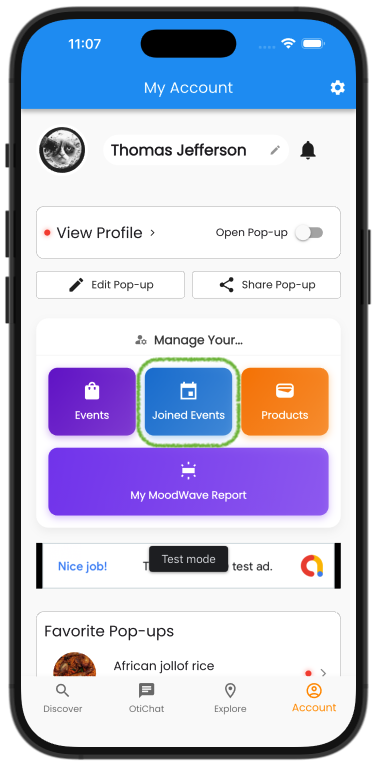
Step 1.
From your account page, click on the Joined Events (blue button).
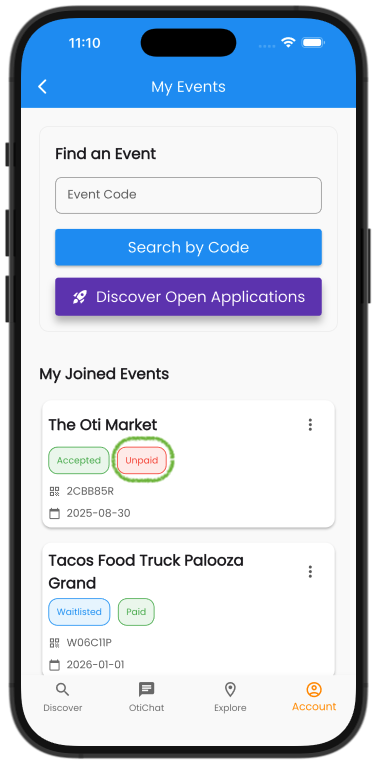
Step 2.
Find the event you have been Accepted to and have yet to pay for. Click the unpaid (red button).
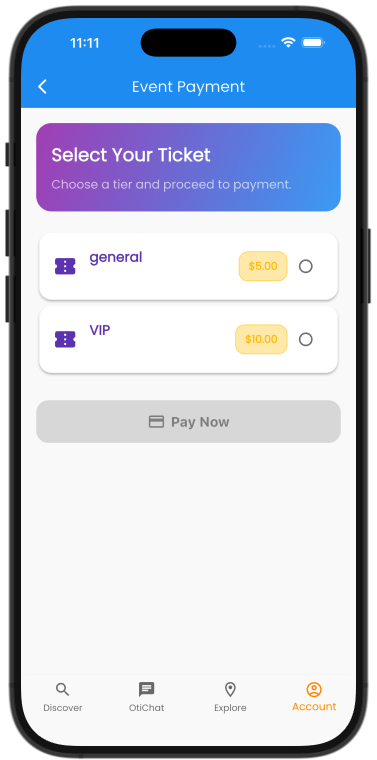
Step 3.
Select the ticket which best fits your needs or is required of you in order to successfully finish the process
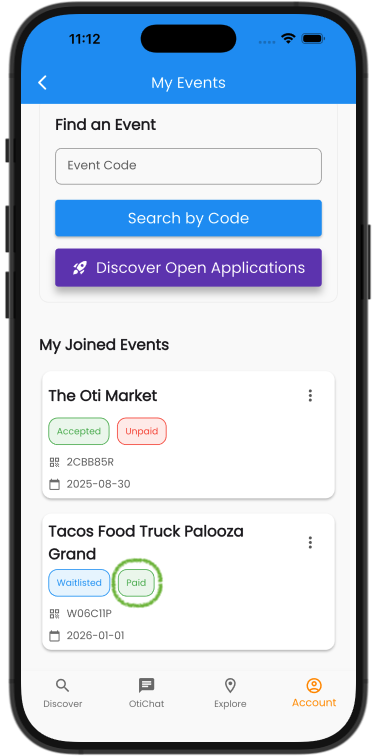
Step 4.
After a payment, you can click on the now marked paid button (green button).
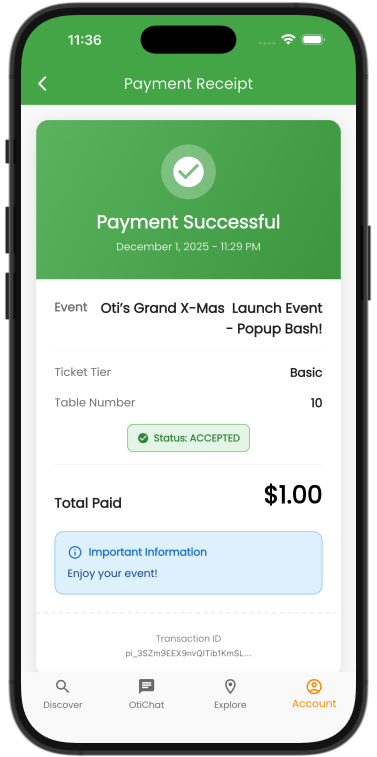
Step 5.
Your payment receipt has all the details you will need the day of the event.
See you out there!